The back office,
handled properly.
Payables, receivables, bank reconciliation, documents and alerts, built on the ERP you already run. Ingrid does the reading and the matching. Your people confirm every entry before it reaches the books.
Confirmed before it posts Read back from Spire Ingrid, built into every app
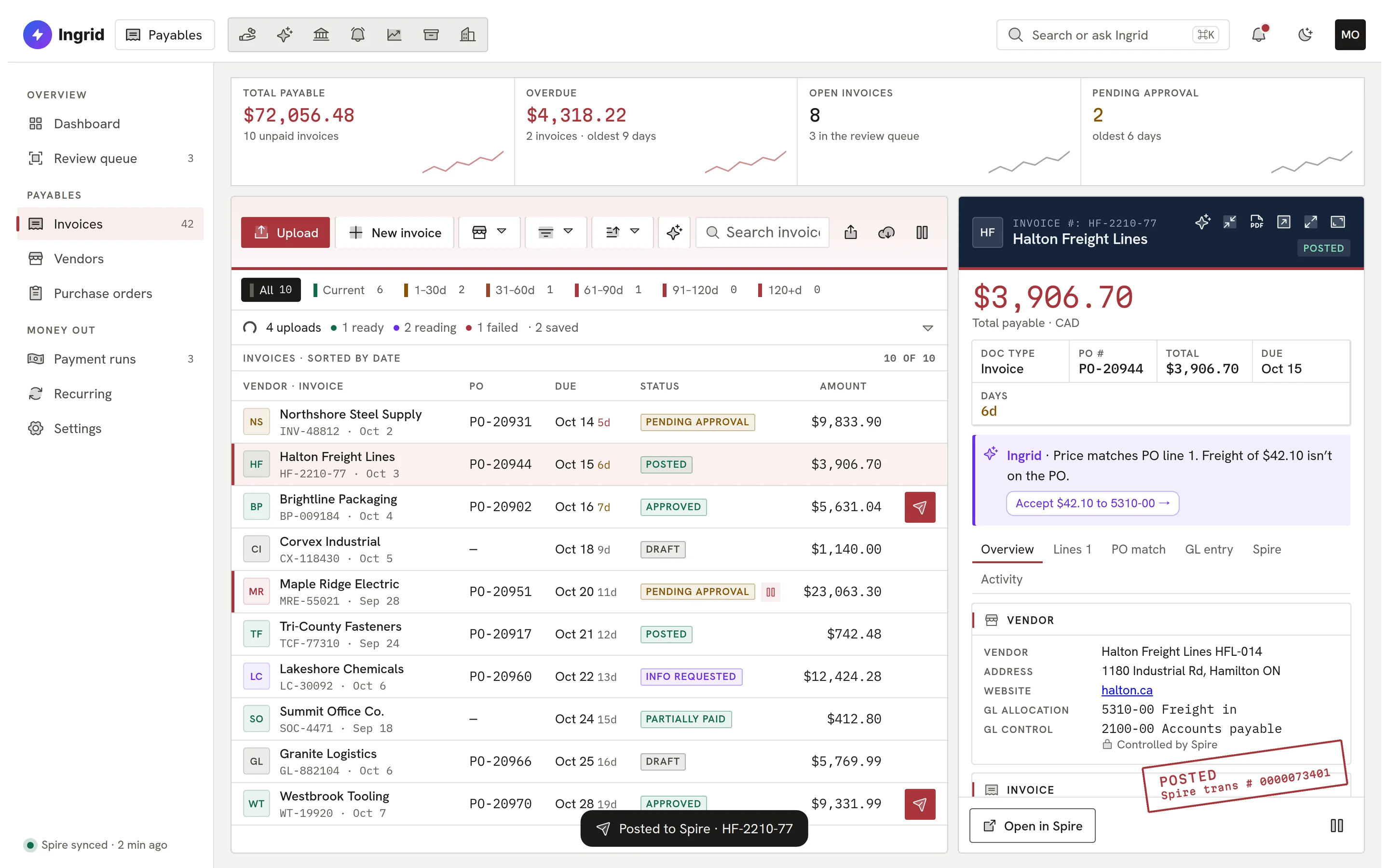
The real Payables screen, live in your browser with sample data.
One suite. Add the apps you need.
Every app looks and works the same way, with the same Ask Ingrid panel inside. Start with one and add the next when you are ready.

Payables
Accounts payable
Invoices read, matched to the PO, approved and posted to Spire.

Receivables
Accounts receivable
Aging, collections and cash receipts on your Spire customers.

Bank Rec
Bank reconciliation
Statement lines matched to the ledger, with every match explained.

Alert
Business alerts
Plain-English alerts on the numbers that need someone today.
Alert Lite is free
Vault
Document library
Every company document filed, searchable and permissioned.

Ask Ingrid
Ingrid assistant
Answers from your own data with sources, and proposals you confirm.

Custom Reporting
Distributor reporting
Custom sales, purchasing and inventory dashboards on live Spire data.

Law
Practice and trust accounting
Matters, time and read-only trust ledgers for Canadian firms. In early access.
In development · early access
Payroll
Canadian payroll
Canadian payroll with second-person review of every pay run. Coming.
Coming
Expenses
Expense reports
Expense reports for your team. Coming.
Coming
Timecards
Time tracking
Timecards for your team. Coming.
Coming
Four apps, one working day.
A typical day: an invoice arrives, the payment is matched, a customer runs late, and you ask what is due.
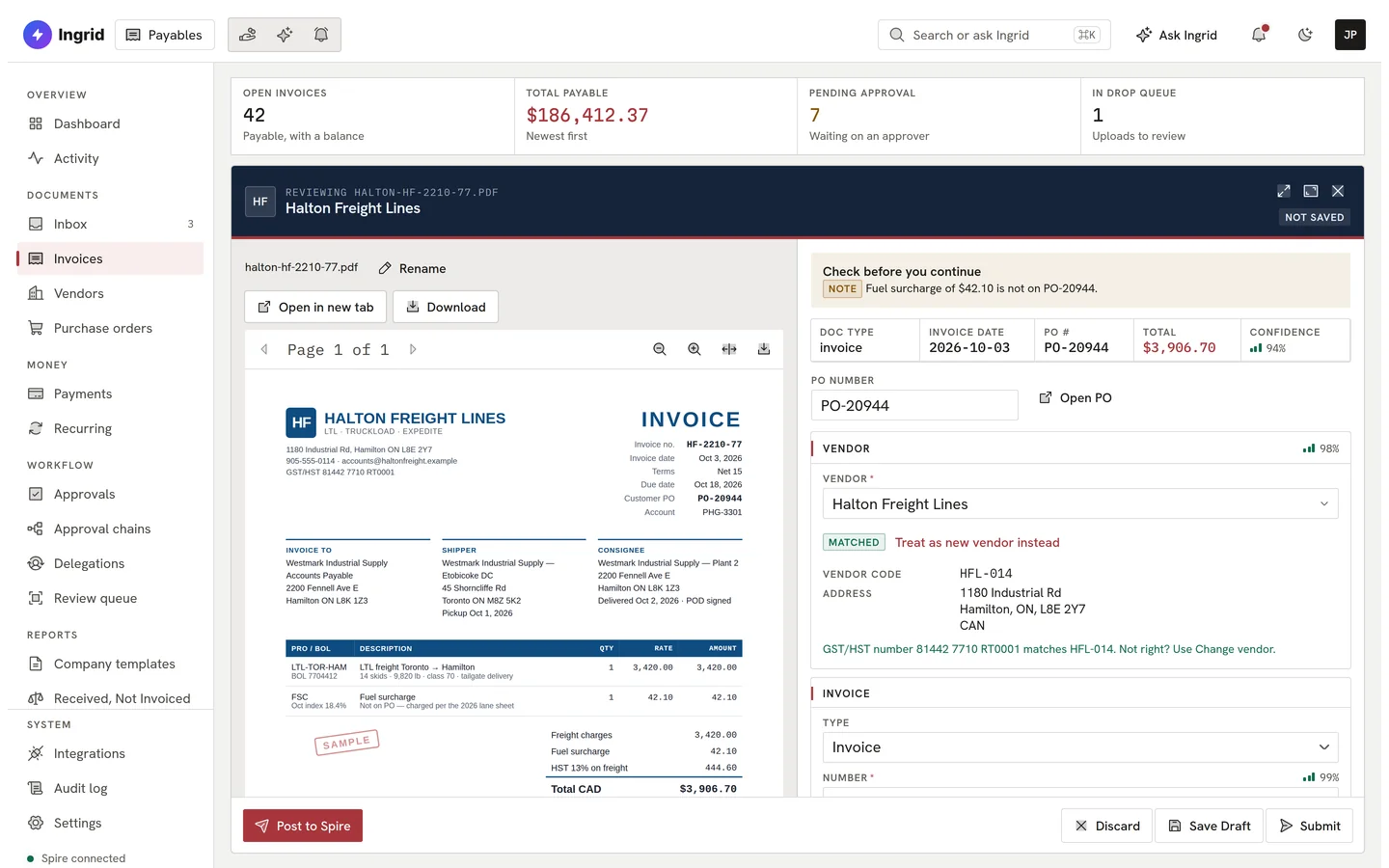
An invoice arrives. Ingrid reads it.
It lands by email or upload. Ingrid reads every field, matches it to the purchase order and shows you how sure it is.
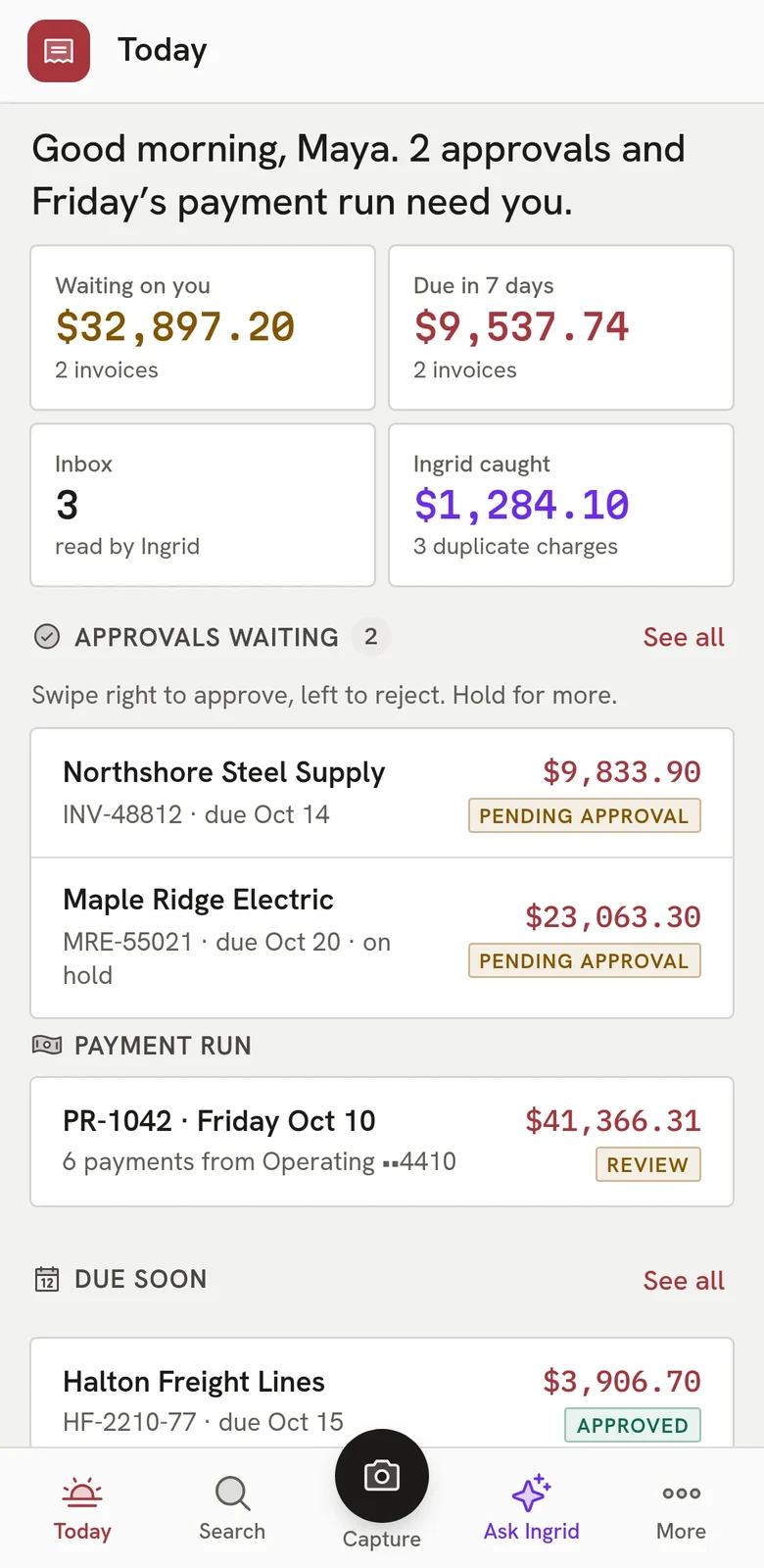
The manager approves from their phone.
The right person gets the request and approves in a swipe. Nothing posts until they do.
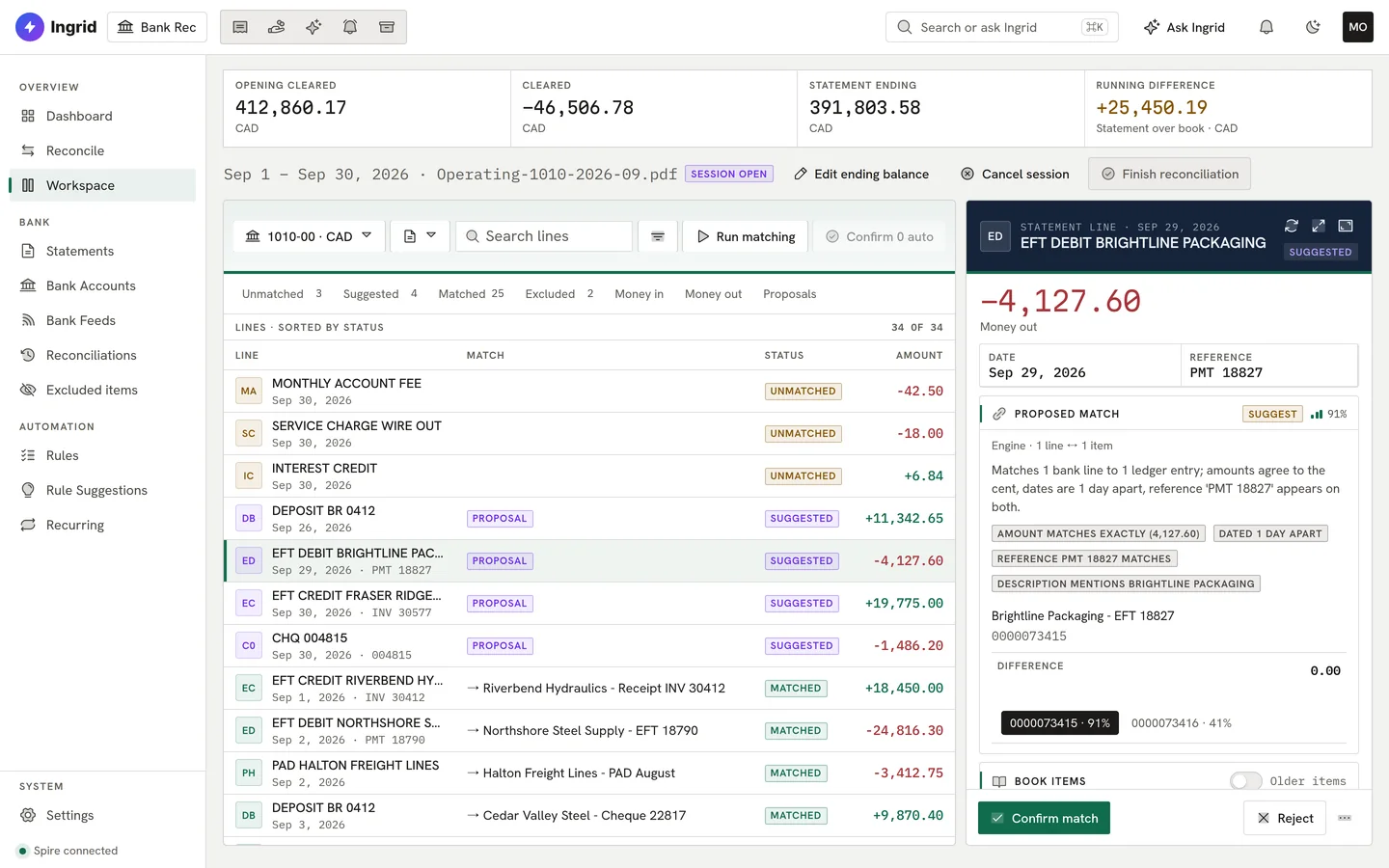
Bank Rec matches the payment.
When the money leaves the account, Bank Rec proposes the match and shows its reasons. You confirm it.
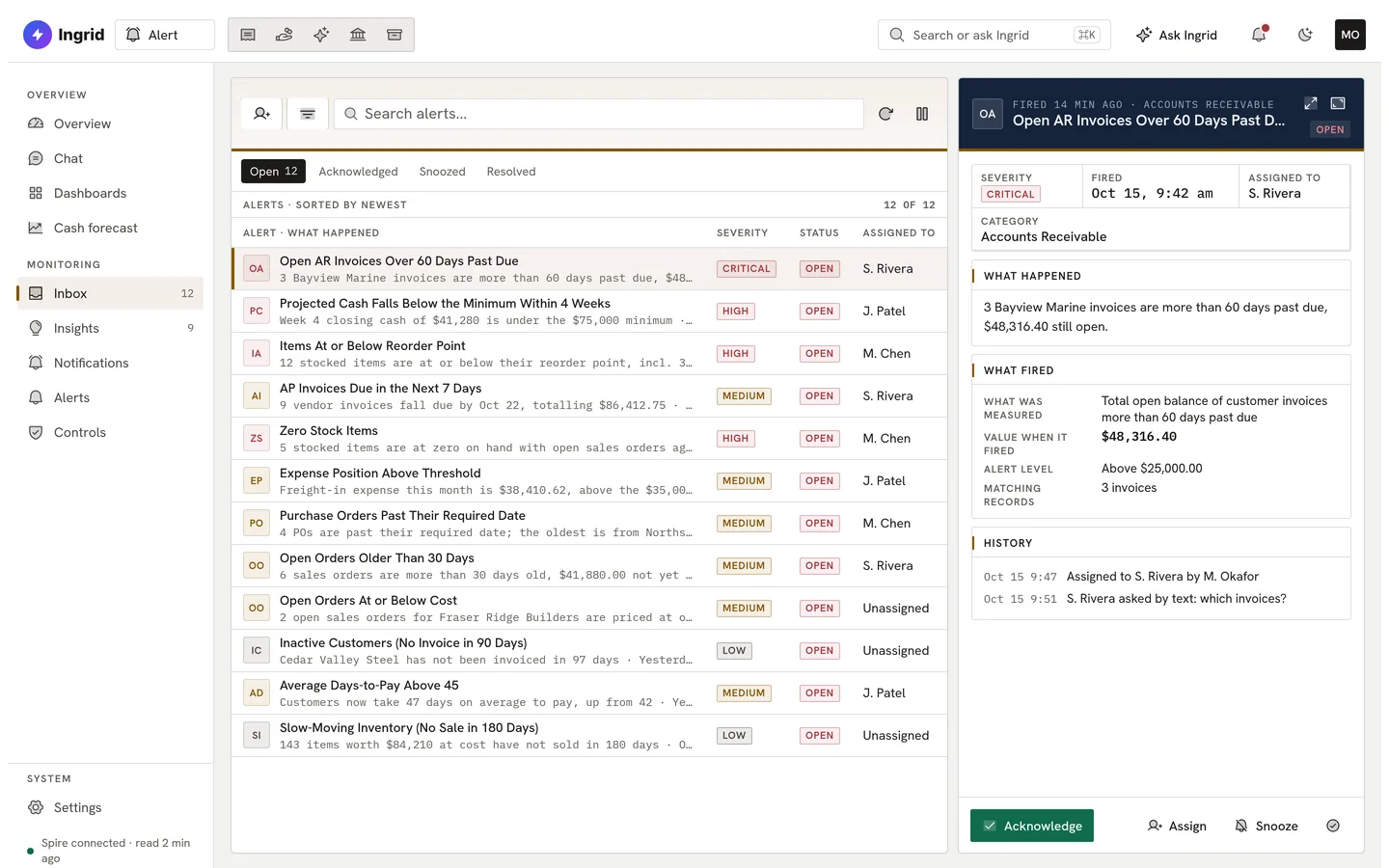
Alert flags a customer running late.
A receivable slips past 60 days and lands in someone’s inbox, ranked by urgency, with an owner.
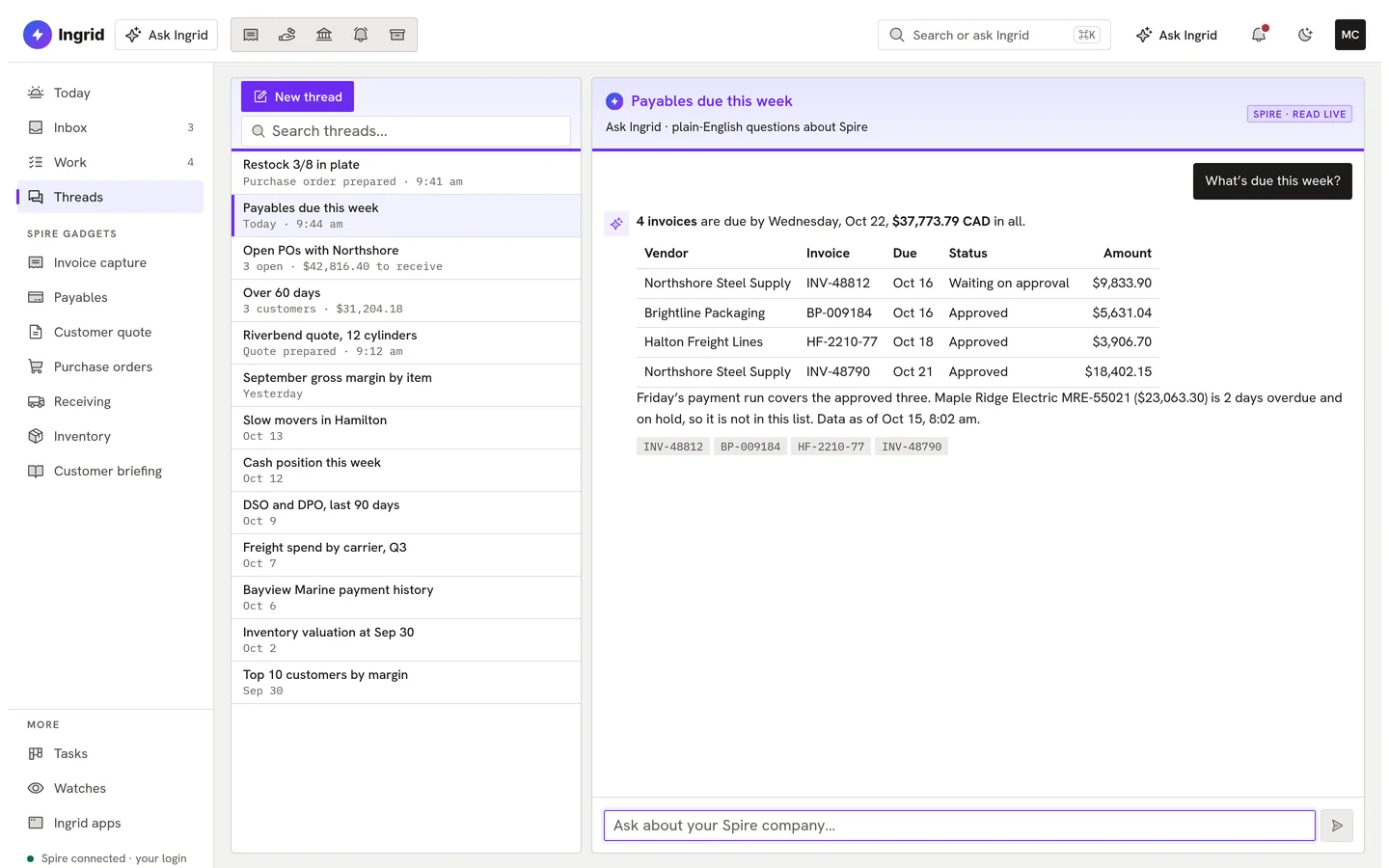
Then you ask: what’s due this week?
Ingrid answers in plain English and links the records behind the answer. Ask from any app.
Oh, and it works on mobile, too.
Approve an invoice, check an alert or file a document from your phone. Same apps, same colours, and the same confirmation before anything is written.
PayablesApprovals waiting on you, a swipe each. 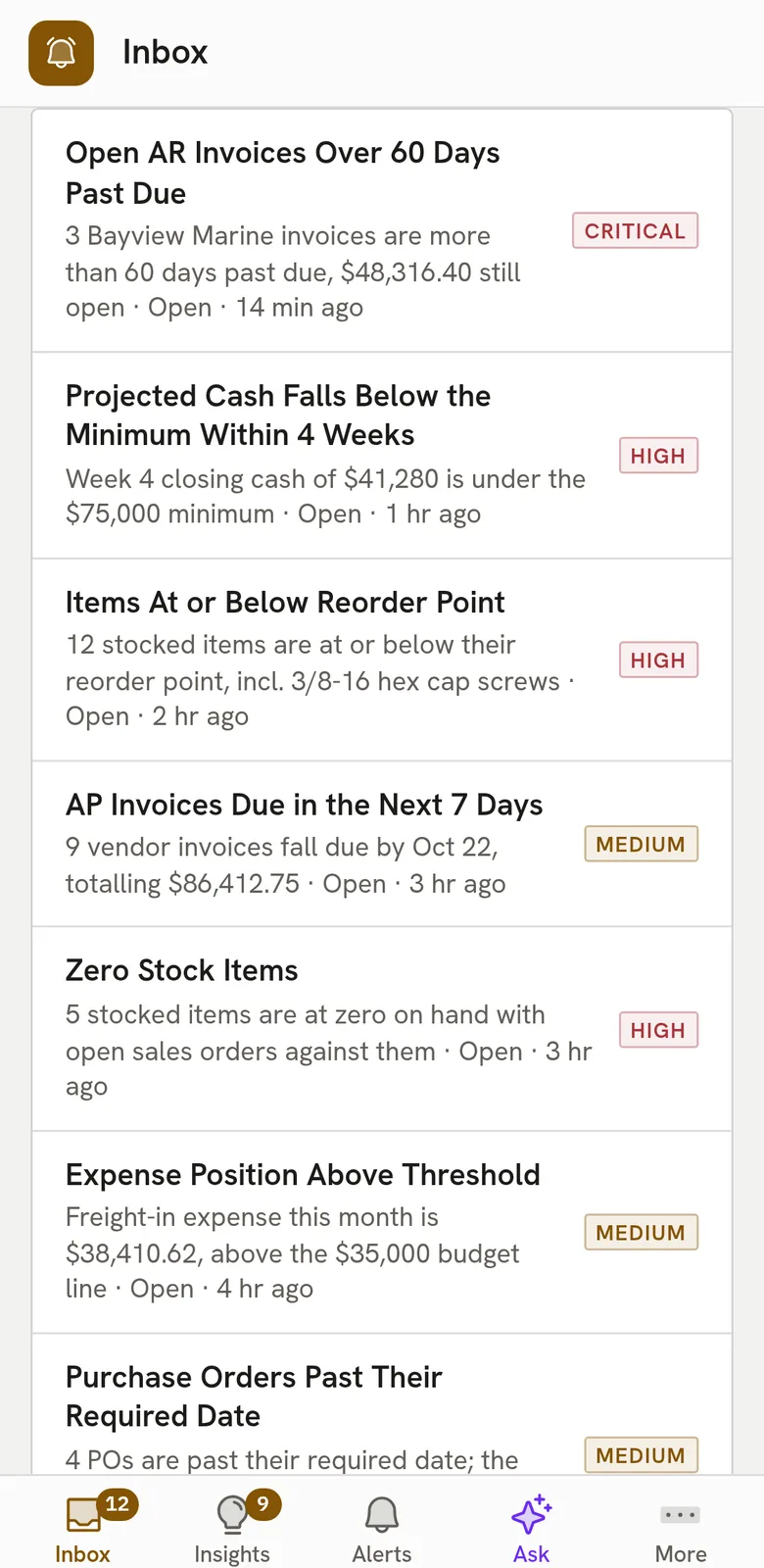
AlertWhat needs attention, ranked by urgency. 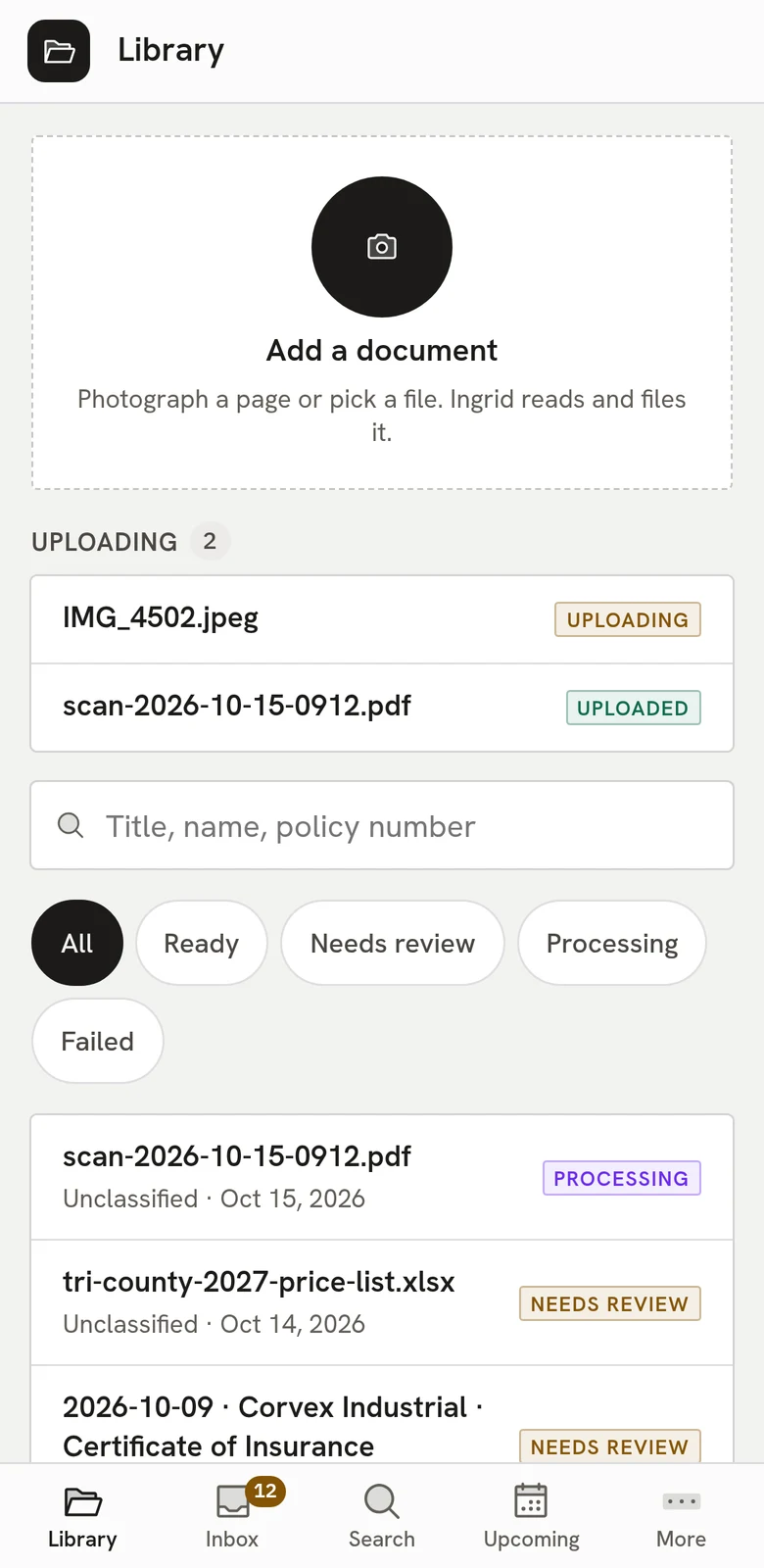
VaultPhotograph a page. Ingrid reads and files it.
Helpful, and kept in check.
Three promises that hold in every Ingrid app.
Your data stays yours
Your company’s information is private to your company. Ingrid works for you and nobody else.
Every action needs your approval
Ingrid can read, match and draft. Nothing is posted until a person has seen the exact change and confirmed it.
Every change is recorded
Who asked, what Ingrid prepared, who approved and what was posted. The record cannot be edited afterwards.
See Ingrid with your own numbers.
Tell us how your team runs Spire, and we will show you the apps that fit.
Book a demo